See yourself
the way the other side does.
Before an important call, take a quick, honest look at your lighting, background, audio and network, exactly as a colleague or client experiences them. Under two minutes.
See exactly what we test →Every detail, measured.
Not a vague impression. Real numbers, drawn out as clearly as we can, with a plain-English note on what each one means.
Scores you can read at a glance.
One overall score, with video and audio on their own dials, so you know exactly which one needs the work.
- Lighting, background, framing and eye contact, in plain words
- Matched to the kind of call: casual or business
- Watch your own recording back
A network check that knows your platform.
Download, upload and jitter measured from the computer you are actually on, then compared with what your meeting platform recommends.
- Speed, latency and jitter, under load as well
- Zoom, Meet, Teams and Webex requirements
- Dropped-packet check
Audio, heard the way they hear it.
You read one short phrase. We compare it with what the far end actually received and measure the room around your voice.
- Script match and transcription confidence
- Noise floor, speech level and signal-to-noise
- Clipping and level warnings in plain language
How a room actually sounds. Coming soon
For conference rooms: measured at several seats, then set against what the room's size and furnishings predict.
- Reverb time by pitch, with the spread between seats
- Speech clarity (C50) and early decay
- Predicted against measured, so surprises stand out
One clap. The whole story. Coming soon
A single clap, recorded at every seat and averaged: how fast the room swallows it, and whether two hard walls are making it ring.
- The decay, millisecond by millisecond
- Flutter echo detail at 1 ms resolution
- Marks where each pair of walls would repeat
Every room, one view.
Walk a whole building and compare every room on a single chart, colour-coded, with room numbers and names where you expect them.
- Room numbers, names and test history per job
- Pick the measures you care about; it remembers
- Export everything to a spreadsheet
Watch it get better.
Every test is kept. Change something, test again, and see whether it helped: side by side, over time.
- Compare any tests with each other
- Notes on each test, so you remember what you changed
- Teams can compare people or the whole company
Three steps. No download.
Paste your meeting link
Start (or join) any Zoom, Teams, Google Meet or Webex call, then paste the link on mirrormeet.
Read one short phrase
A mirrormeet helper joins and shows you a phrase to read aloud. Then you are done: leave the call.
Get your results
Watch your own clip back, see real scores for video, audio and network, and one clear fix.
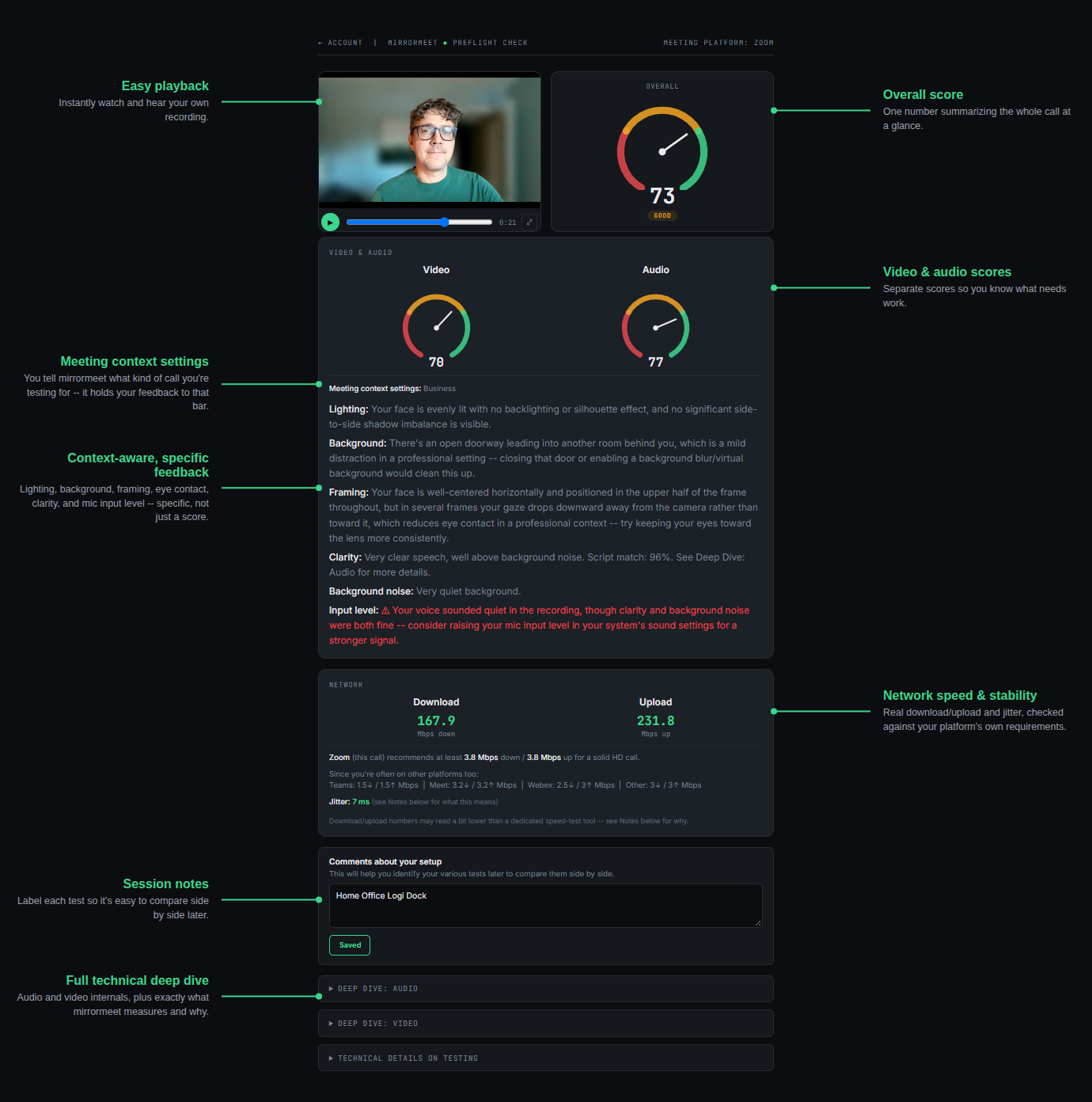
The full report, exactly as you receive it.
This is a real results page: your recording, your scores and plain-English notes on what to change.
Built for people working on the go.
Works with
Also joinable through our underlying platform, though not yet specifically tuned: